
1. Click on Course Management drop-down arrow in the side navigation. 
2. From the drop-down list select Course Codes. 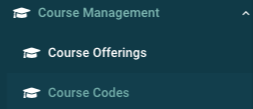
3. Click on + New Course Code on the Course Codes list page. 
4. Fill in the input fields with the new course code information.
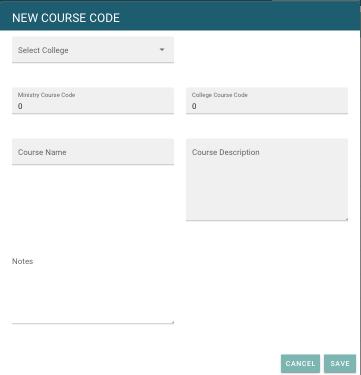
5. Click Save  to finish your course code.
3. Find your course code in the displayed list and click the action menu  , then click Edit.

4. Complete the necessary edits to the course code selected.
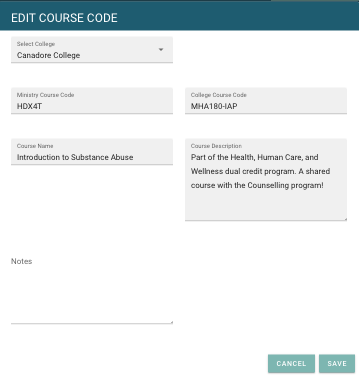
5. Click Save to complete your changes.