
1. Click on Reporting drop-down arrow in the side navigation.  .
.
2. From the drop down list select College Registrar’s Report. 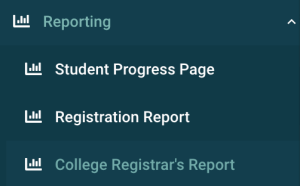
3. The data table will populate with accepted and removed students. Modify the data as necessary by using the filters. Click Export to CSV  .
.
