Up-To-Date Information
It is essential that student information in the PRISM database be accurate, up-to-date, and reflect
precisely that which is contained in a Board’s SIS. As student information frequently changes (e.g.,
moving from one school or one Board to another, changes in physical address and/or contact
information, etc.), it is extremely important these changes be reflected in the PRISM database.
Otherwise, messaging and reports may be sent to incorrect recipients and it can be very cumbersome
and time-consuming for eTeachers, GCs, Office Administrators, eRegistrars, and DeLCs.
1. Click on Students in the side navigation. ![]()

2. Search for student by one of the following fields.

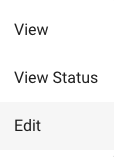
3. Select the 3 dots beside the student and select View. Review for accuracy

4. To edit, select the 3 dots beside the student and click Edit. 
4. Once all information has been updated and all required fields are complete, click Update. ![]()
Student IEP
If the student has an IEP, you are required to
provide it to the teacher. To do so, obtain a
digital copy of the student’s IEP and indicate
‘Yes’ for Does the student have an IEP? on this
screen. Click the Choose Files button, locate and click
on the IEP file, then click Open.