1. Click on Registration drop-down arrow in the side navigation. 
2. From the drop down list select Pending DC Students. 
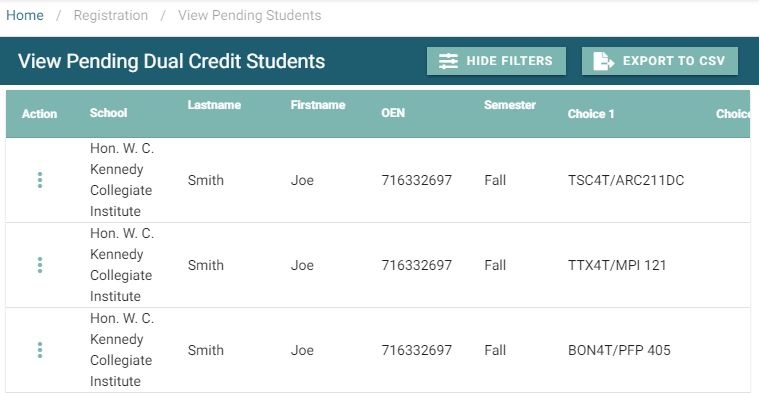
3. A default list of students will populate the data table.
4. Select the Show Filters button  to display possible search criteria.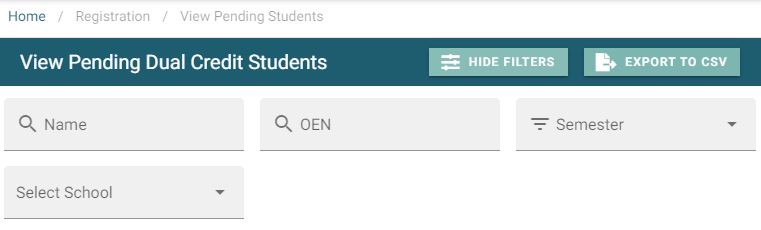
6. Enter the student’s OEN to view the student status and details. 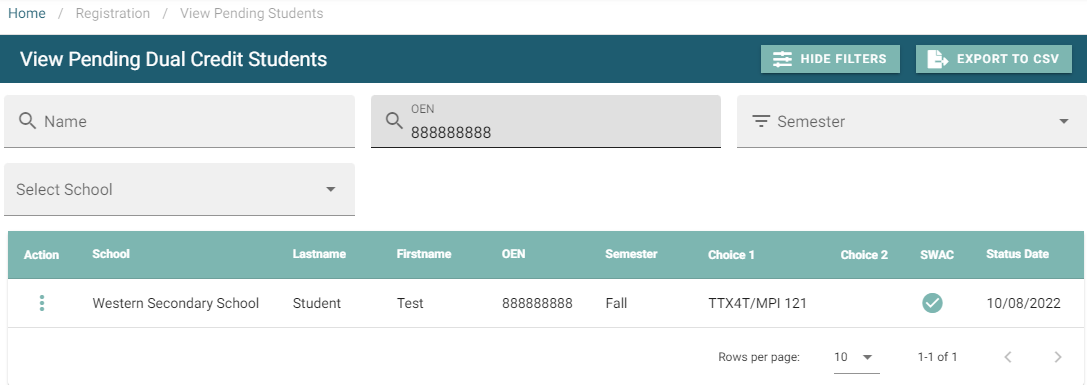
7. Select the action menu  beside the student to show other options available. Select your desired option.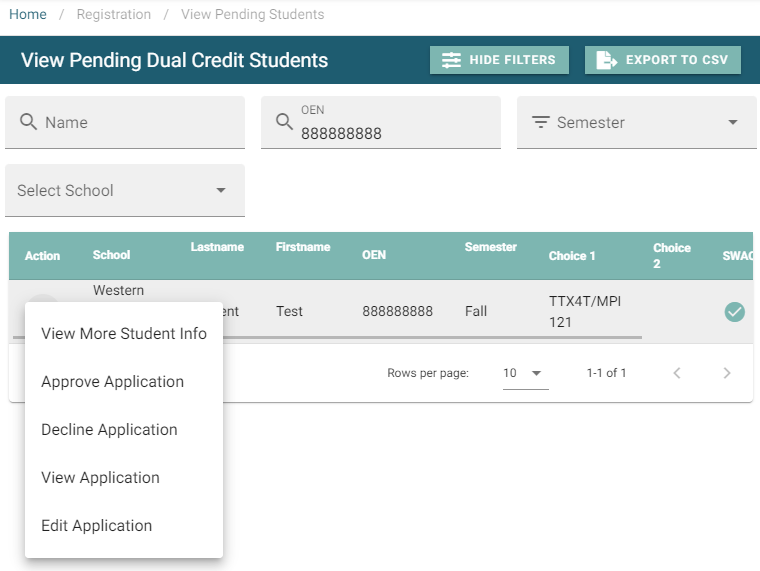
8. Select Approve Application.
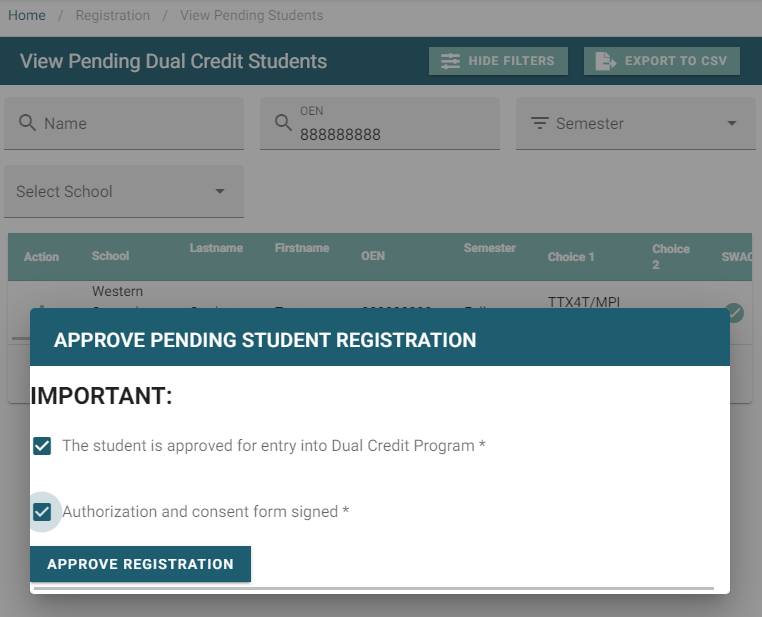
9. Approve Pending Student Registration pop up window appears.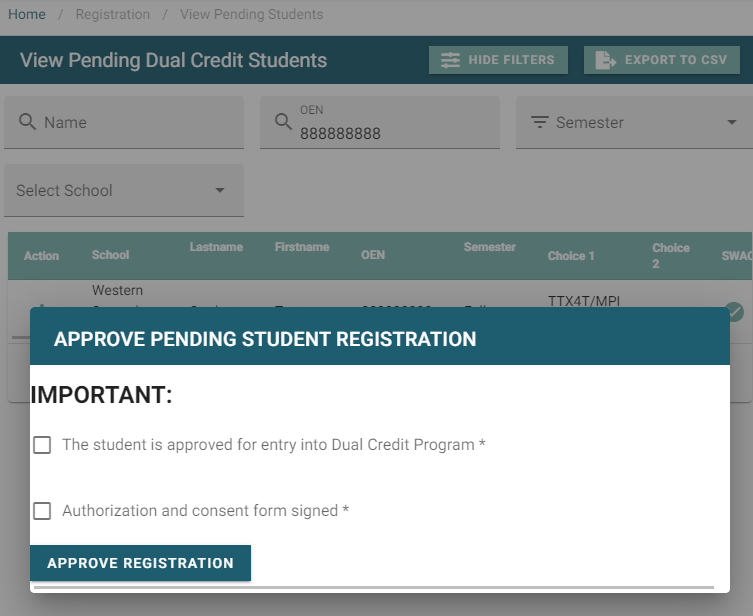
10. Check the radio button(s), and select Approve Registration.