
1. Click on Students in the side navigation. 
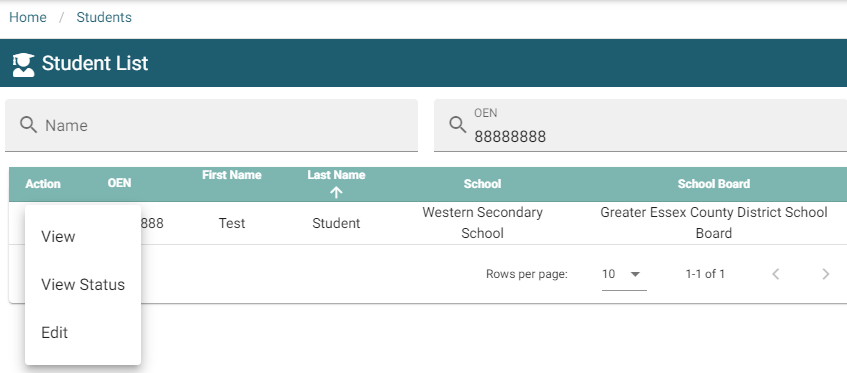
2. Search for student by any of the three possible fields.

3. Click the action menu to view the possible selections.
4. Select Edit from the drop down.
5. Scroll down to ‘Does the student have an IEP?’ 
6. Change the selection to Yes, if set to No. A new section will appear asking you to attach the IEP file.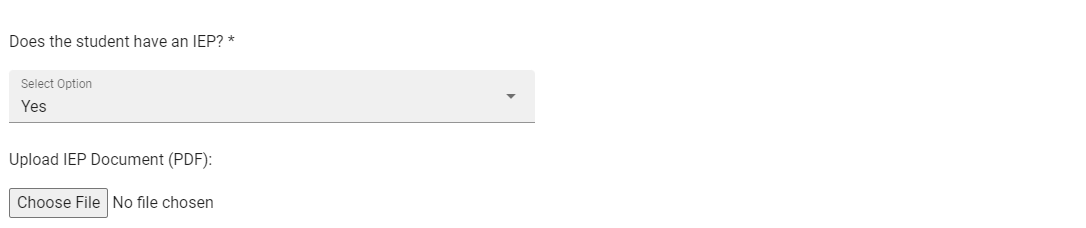
7. Once a file is selected, a new Remove button  will appear for future use if needed.
8. Scroll to bottom of page and select Update  to complete the upload.