1. Click on Classes drop-down arrow in the side navigation. 
2. Search for your class by setting the available filters.

3. Look in the # Waitlisted column to see how many total students are waitlisted. 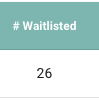
1. Click on Classes drop-down arrow in the side navigation.
2. Search for your class by setting the available filters.
3. Look in the # Waitlisted column to see how many total students are waitlisted.