1. Click on Users in the side navigation. ![]()

2. Click on the + New User button on the users list page.

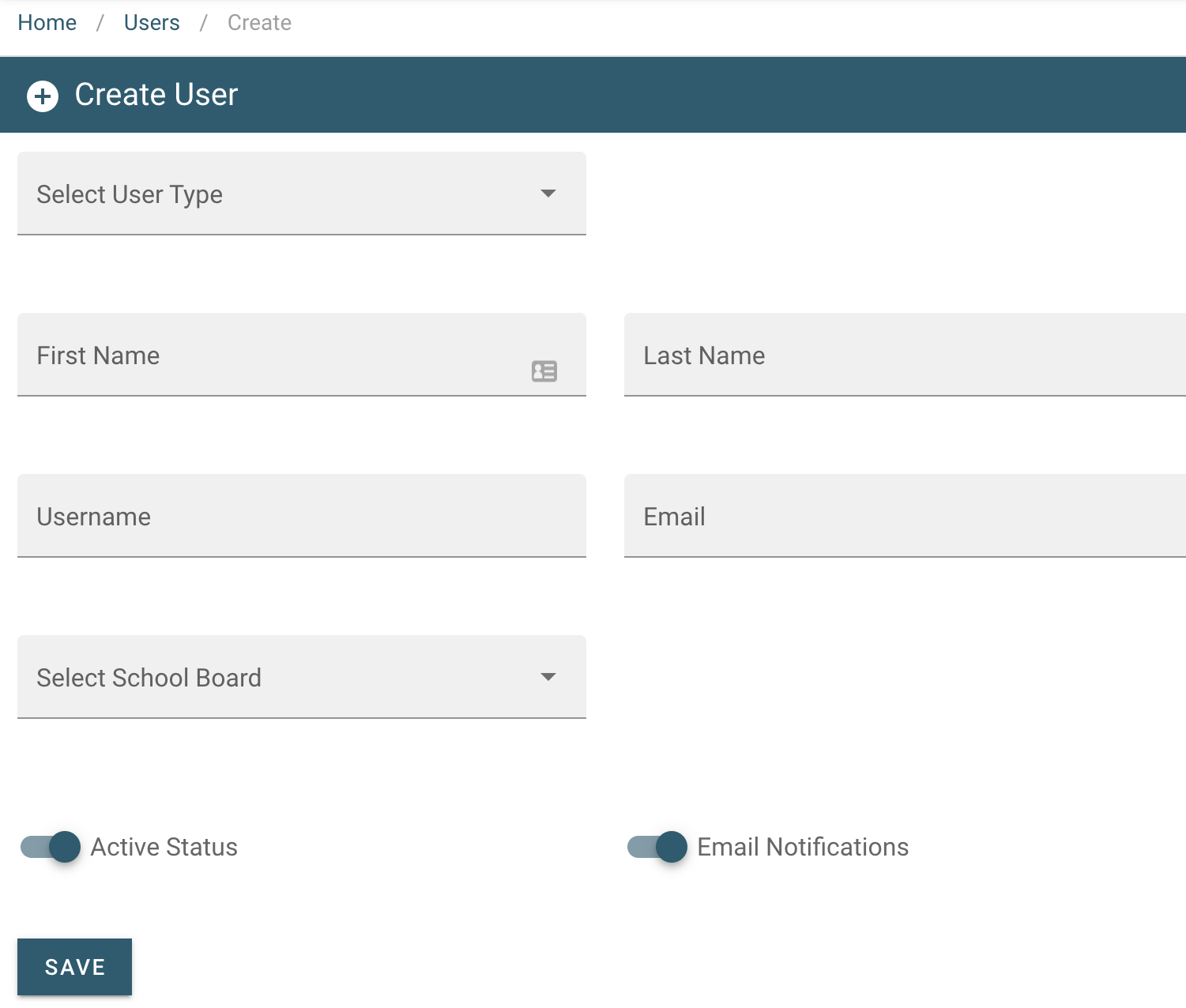
3. Fill in the input fields with the new user information and click Save
at the bottom of the page.
Form Fields Explained
Active Status - User account is active and can access PRISM.
Email Notifications - Email address will receive registration email notifications from PRISM.
User Type Selection
Depending on the user type selected, options may appear or disappear within the create user form.
College Admin users can create all user types.
Dual Credit Teacher users can create all Board/school user types.
View User Types
College Admin users can create all user types.
Dual Credit Teacher users can create all Board/school user types.
View User Types
4. Once new user is created and saved; an email containing the URL, username, and password is automatically generated and sent to the user.