
1. Click on Registration drop-down arrow in the side navigation. 
2. From the drop down list select SWAC Students. 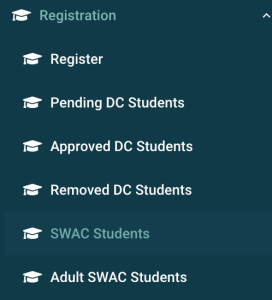
3. A list of SWAC student registrations (pending, accepted and removed) will populate the data table with each registration status displayed in the header. You can sort or filter the table to assist in finding the student registration.
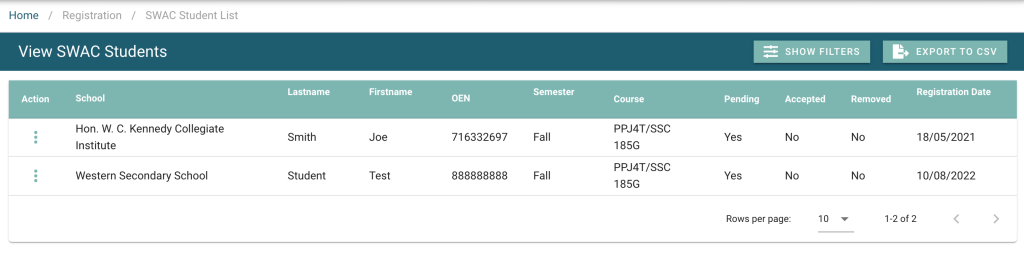
4. Use the action menu to interact with the student registration. The menu will have different options depending on the registration status.
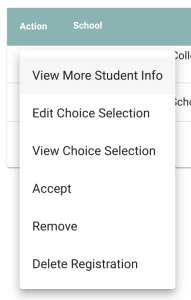
If the student is currently Pending, the registration application has not been approved yet by the school. From the Action menu the user will select Accept to approve the registration and accept the student into the class.
If the student is Accepted, the student is registered for the class. The user can remove the student from the class, freeing up the seat that was allocated and maintain a record of the student’s removal. If the user does not want to maintain a record of the student’s removal, they can choose Delete Registration.